What is the ghost mannequin technique?
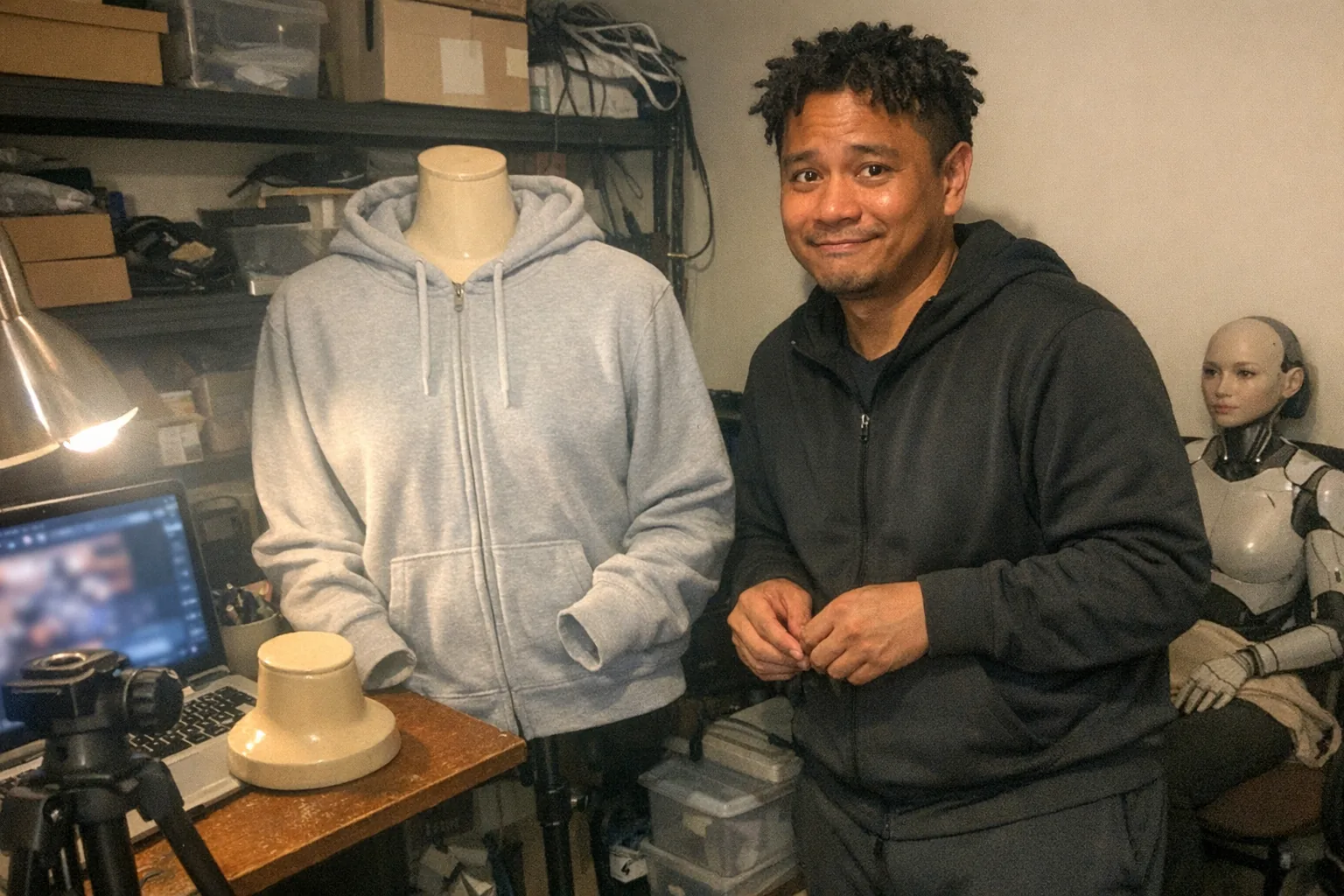
The ghost mannequin technique (also called the invisible mannequin effect) is a product-photography method used mainly for apparel where the item appears naturally filled out and three-dimensional, as if someone is wearing it—but without any person visible.
In practice, you photograph a garment on a mannequin (often one with removable parts), then take an additional “inside” shot. In editing, you composite those images so the mannequin disappears and interior details (like the neck opening, collar depth, or inner label area) look clean and realistic.
Think of it as the sweet spot between:
- Flat lays (clean but can look “lifeless”)
- Live models (great realism but higher cost/coordination)
Why brands use it (and why it works)
Ghost mannequin photos are popular for e-commerce because they:
- Show shape and fit (sleeve volume, torso structure, drape)
- Create consistency across a catalog (same pose/angle every time)
- Reduce reliance on models (budget, scheduling, privacy)
- Highlight construction (necklines, collars, interior structure)
For shoppers, the effect is subtle: the product looks dimensional and “real,” which can increase confidence compared to a flat, unshaped garment.
How the ghost mannequin technique works (the simple version)
Most ghost mannequin sets use two key images:
- Main shot: the garment on a mannequin, styled and lit.
- Inside shot: a second photo that captures the “missing” interior area (commonly the neck/collar), usually by removing part of the mannequin or turning the garment slightly.
In editing, you mask out the mannequin and place the inside shot underneath (or into the cut-out area) so the garment looks naturally hollow—like it’s floating.
What you need
You can do this with modest gear if you’re consistent.
Photography setup:
- A mannequin torso (ideally with removable neck/arms)
- Camera or a modern phone with a solid camera
- Tripod (helps keep angles identical)
- Simple background (white/gray paper, a clean wall)
- Two lights or a window + reflector for even illumination
Editing tools:
- Photoshop (common), or any editor with layer masks and decent selection tools
Step-by-step: How to do the ghost mannequin technique
1) Prep and style the garment
- Steam/iron wrinkles (wrinkles cost time later)
- Clip excess fabric behind the mannequin if needed
- Align seams, collars, plackets, and hems carefully
2) Shoot the main image
- Keep the camera level and square to the product
- Use consistent distance and focal length for your whole catalog
- Light evenly to avoid harsh shadows inside the garment
3) Shoot the “inside” image
- Remove the mannequin part that blocks the interior (often the neck)
- Or flip/adjust the garment to clearly show the inner collar area
- Match the same angle and same lighting as the main shot
4) Composite in editing
A typical workflow:
- Place the main shot on top
- Select and mask out the mannequin (keep clean edges)
- Bring in the inside shot as a layer underneath
- Transform/warp slightly to align the inner collar/edges
- Refine shadows/highlights so it looks natural (not cut-and-paste)
5) Finish for e-commerce
- Color-correct for accurate fabric tone
- Remove dust/lint (a lint roller before shooting helps a lot)
- Export consistently (same crop, same background, same resolution)
Common mistakes (and how to avoid them)
- Mismatched angles between shots → Use a tripod and mark the floor.
- Overly sharp cutouts → Add subtle feathering and realistic shadow transitions.
- Collar/neck looks “impossible” → Your inside shot needs correct depth and alignment.
- Uneven lighting inside the garment → Add fill light or bounce light into openings.
- Inconsistent styling across products → Create a checklist (collar, shoulders, hems, sleeves).
When ghost mannequin is (and isn’t) the right choice
Great for: - Tops, jackets, hoodies, dresses - Any garment where structure and volume matter
Not ideal for: - Items where motion sells the product (flowy pieces that need movement) - Highly reflective materials that reveal compositing artifacts easily
A quick note for photographing modern “tech products,” too
Even though ghost mannequin is famous for apparel, the underlying idea—show realistic form without showing a person—can help when photographing certain technology-adjacent products or accessories that benefit from a “filled-out” look.
If you’re building an e-commerce page for an interactive device, the goal is often the same: clean, accurate visuals that communicate how something works without awkward framing.
For an example of a product page where clarity of presentation matters, you can check out Orifice.ai. They offer an interactive adult toy/sex robot for $669.90, including interactive penetration depth detection—a feature that’s easier to understand when product photos and diagrams are consistent, well-lit, and thoughtfully composed.
Bottom line
The ghost mannequin technique is a practical, scalable way to create professional, dimensional product photos—especially for clothing—by combining a mannequin-based shoot with straightforward compositing.
If you want, tell me what you’re photographing (type of item, background, and whether you’re using a phone or camera), and I’ll suggest a simple lighting + editing workflow you can replicate for an entire catalog.