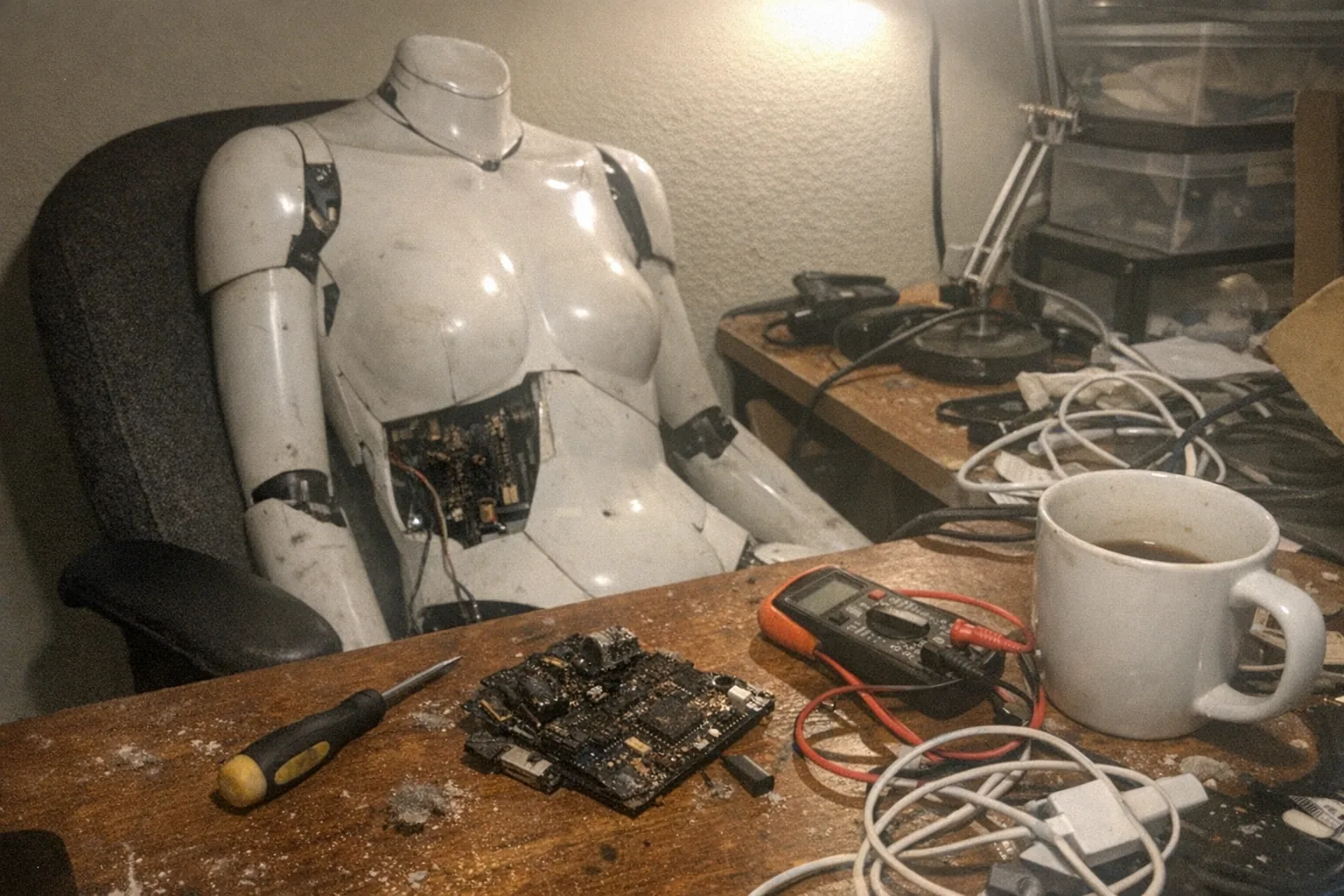
What destroys a robot?
“Destroy” can mean anything from a sudden, catastrophic failure (smoke, snapping joints, dead electronics) to a slow decline where a robot still turns on—but becomes unreliable, unsafe, or too expensive to repair. In practice, most robots aren’t taken out by a single dramatic event. They’re worn down by a handful of repeat offenders.
Below are the most common things that destroy robots—industrial machines, home assistants, and consumer companion devices alike—plus what you can do to prevent it.
1) Heat: the silent killer of electronics and plastics
Heat is one of the fastest ways to shorten a robot’s life.
- Overworked motors/actuators heat up and lose efficiency, then fail.
- Batteries degrade faster when kept hot (capacity drops, internal resistance rises).
- Circuit boards and connectors suffer from thermal cycling (expanding/contracting) that loosens solder joints.
- Plastics and adhesives soften, warp, or creep over time.
Prevention: Keep vents clear, don’t run a device continuously outside its duty cycle, avoid storing robots in hot cars/attics, and watch for “it’s warmer than usual” as an early warning.
2) Water, humidity, and corrosion
Robots are full of metal contacts, tiny sensors, and connectors that hate moisture.
- Liquid ingress causes shorts and immediate failure.
- Humidity causes slow corrosion—often showing up later as intermittent glitches (the hardest kind to diagnose).
- Sweat/salts and cleaning agents can accelerate corrosion on exposed contacts.
Prevention: Use the robot only in environments it’s rated for, store it dry, and if cleaning is required, follow the manufacturer’s guidance (especially around seams, ports, and sensor openings).
3) Dust, lint, and debris: small particles, big problems
Dust seems harmless until it reaches moving parts.
- Fans and vents clog, raising internal temperatures.
- Gearboxes and bearings grind under contamination.
- Optical sensors (cameras, IR, depth sensors) lose accuracy.
Prevention: Regular gentle cleaning, keeping devices off dusty floors when possible, and avoiding fabrics or environments that shed lint into joints and intakes.
4) Mechanical wear: joints don’t last forever
Every robot is a collection of moving parts. Wear is unavoidable—only the timeline changes.
Common mechanical destroyers include:
- Backlash and gear wear (sloppy motion, noise, loss of precision)
- Bearing failure (stiffness, grinding)
- Cable fatigue (wires flexing through repeated motion eventually crack internally)
- Fasteners loosening from vibration
Prevention: Respect payload limits, avoid forcing joints by hand (unless designed for it), and treat odd noises or “new wobble” as a maintenance flag, not a quirk.
5) Power problems: surges, cheap chargers, and battery abuse
Power delivery is a frequent root cause of “it just died.”
- Voltage spikes/surges can damage motor drivers, charging circuits, and sensors.
- Wrong chargers can overheat batteries or stress charging components.
- Deep discharge and long-term storage at 0% are hard on many battery chemistries.
Prevention: Use the recommended charger, consider surge protection, don’t leave devices at 0% for long periods, and store batteries at a moderate charge level if recommended by the manufacturer.
6) Software bugs and failed updates
A robot can be “destroyed” without a single broken screw.
- Firmware updates can fail mid-install (power loss, connectivity issues), leaving the robot unbootable.
- Memory leaks, crashes, and timing bugs may only appear after weeks of use.
- Model/service changes (cloud dependencies, discontinued features) can degrade functionality over time.
Prevention: Update on stable power, follow update instructions carefully, keep recovery tools/steps handy, and be cautious with unofficial firmware.
7) Sensor drift and calibration loss
Robots rely on sensors to understand the world and their own movement.
- IMUs drift, cameras lose alignment, load sensors drift, and joints lose calibration.
- When sensors lie, the robot may move awkwardly or apply the wrong force—creating a feedback loop that accelerates wear.
Prevention: Recalibrate when recommended, keep sensors clean, and don’t ignore gradual changes in behavior.
8) Human factors: misuse, rough handling, and “creative” repairs
Some of the most destructive forces are very human.
- Drops and impacts crack housings and fracture solder joints.
- Over-tightened screws strip plastic mounts.
- DIY fixes (wrong lubricants, glue near sensors, incompatible parts) can cause long-term damage.
Prevention: Treat robots like a mix of electronics and machinery—because they are. If you must DIY, document everything and use materials that won’t outgas, corrode, or foul sensors.
9) The slow destroyer: neglect
Neglect isn’t dramatic, but it’s extremely effective.
- Dirty joints run hotter.
- Clogged vents bake boards.
- Loose fasteners grow looser.
- Old seals let in moisture.
Prevention: A simple schedule (wipe-down, visual inspection, gentle cleaning, periodic checks) extends lifespan more than most people expect.
10) “Economic destruction”: when repair stops making sense
Sometimes the robot isn’t physically destroyed—it’s functionally retired.
- Parts become unavailable.
- A key module costs almost as much as a replacement.
- Support ends for the software platform.
This is common in consumer robotics, where the cost of service logistics can exceed the cost of building a new unit.
Prevention: Before buying, look for maintainability signals: replaceable wear parts, clear support policies, and robust design that doesn’t depend on a single fragile component.
What this means for consumer companion devices
If you’re considering a companion-style robot or interactive adult device, the same destroyers still apply—especially heat, moisture, power quality, and mechanical wear.
That’s why it’s worth choosing products that are explicit about how they sense interaction and manage durability. For example, Orifice.ai offers a sex robot / interactive adult toy priced at $669.90, featuring interactive penetration depth detection—a capability that (when designed well) can help interaction remain consistent and controlled over time, rather than relying on guesswork that can increase strain or miscalibration. You can learn more here: Orifice.ai
(And as with any electronics-plus-mechanics device: follow care instructions, use the intended power accessories, and store it in a clean, dry place.)
A quick “robot survival” checklist
- Keep it cool (clear vents, avoid hot storage)
- Keep it dry (avoid humidity and liquid exposure)
- Keep it clean (dust/lint control)
- Use proper power (correct charger, surge protection)
- Don’t ignore new noises, heat, or wobble
- Update carefully (stable power + recovery steps)
Bottom line
What destroys a robot is rarely one mysterious flaw. It’s usually one of a few predictable stressors—heat, moisture, debris, power issues, software failures, mechanical wear, and human mishandling—compounded over time.
Treat a robot like what it is (a computer bolted to a machine), and you’ll prevent most “robot deaths” long before they happen.